Calitem vs Doxis: AP or document management
Doxis organizes documents and business processes, including invoice automation. Compare that platform with the accounting circuit of Calitem.
Last updated:
Short answer
Choose Calitem to automate business processes with custom workflows, including purchase checks, line-level allocations and your own approval rules. It adapts to the rules of companies and accounting firms and generates journal entries for their ERP.
Consider Doxis if you are looking for an enterprise document management platform that covers invoices, files and other organizational processes. Its proposal connects archiving, workflows and document information with systems such as SAP.
What is Doxis and how does it work?
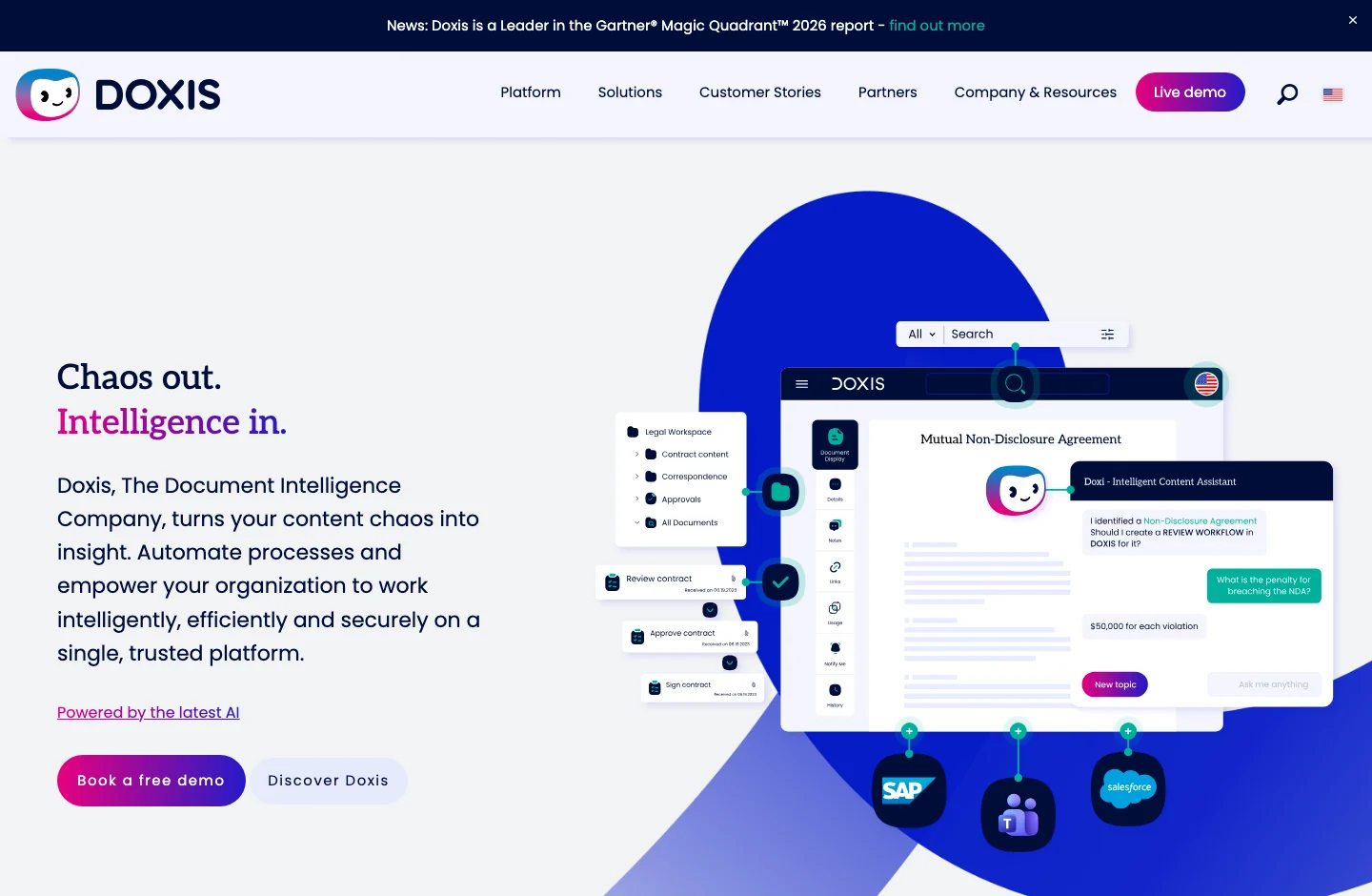
Doxis is a content management and document automation platform for companies. Its scope includes capture, organization, filing and processes associated with documents. In finance, it has automation of invoices and the purchase to payment cycle, connected to the ERP.
This is how the work is organized:
- Capture and organize documents.The platform receives documents and relates them to company files and processes.
- Check and direct the work.In the invoice circuit, it compares information with the ERP data and activates the verification and approval flows.
- Record and retain information.Approved documents are connected to the record in ERP and remain available in the document environment.
Doxis shares invoice processing and configurable flows with Calitem. Its documentary scope extends to more areas of the organization. Klippa is part of Doxis and its products are now presented as Doxis AI.dp and Doxis SpendControl; They are not independent companies.
When Doxis fits
- Documents from various areas.The project includes customer, supplier or employee files, in addition to invoices.
- A common documentary repository.You want to relate documents and processes that today are distributed between departments.
- Document management connected with SAP.You need to access files and documents from the environment in which the company works.
What is Calitem?
Calitem is the AI accounting system that automates accounts payable, from receiving documents to posting journal entries in your ERP.
It is designed for companies where each invoice can require several checks: finding the purchase order, checking what was received, allocating the expense and obtaining the right approval. Calitem connects this work with your accounting rules and business systems.
Where Doxis has the advantage
Document management for the entire organization
Doxis organizes documents and files from different departments on a common platform. It makes sense when the problem includes finding and relating information from customers, suppliers and other processes, beyond accounts payable.
File attached to work processes
The platform combines documentary conservation with flows and access to the documents of each file. It is relevant if the archive and subsequent consultation form a central part of the project, along with capture and approval.
Documents and files accessible from SAP
The integration of Doxis with SAP allows documents and files to be consulted in the work context of the ERP. It fits when you are looking to extend document management to different processes of an organization that uses SAP.
Automation of the purchase to payment cycle
Doxis offers a solution that cycles through purchasing, order confirmations, invoice processing and archiving. It can fit if you want to coordinate that flow within a broader business document platform.
Where Calitem has the advantage
Documents from your team channels
Calitem receives invoices and documents from email, WhatsApp, Teams and shared repositories. A person in a store or warehouse can send a photo without installing another app. The documentation enters the same accounting process, although it arrives through different channels.
Extraction tailored to your documents
The AI extracts general data, lines and specific fields of your operation. Calitem processes up to 250 documents every five minutes, to absorb large volumes without transcribing invoices one by one. Fields with low confidence are reviewed.
Duplicate invoices under control
Calitem detects duplicate documents automatically. When the same invoice arrives through different channels, your team can identify repetition before it turns into more accounting work.
Matching invoices, purchase orders and delivery notes
Calitem matches the three documents line by line and checks references, quantities, prices and taxes. If more units are invoiced than received, or a price changes, it flags the difference for your team to review before posting.
Accounts and cost centers by line
One invoice can include expenses from several stores, departments or projects. Calitem assigns categories, subaccounts and cost centres to each line using your chart of accounts and the team’s previous classifications.
Approvals that follow your rules
Define who must approve based on the amount, legal entity, cost centre or supplier. Calitem routes each document through the appropriate workflow and can automatically approve transactions that meet your limits.
AI-generated accounting entries
Calitem uses your chart of accounts and previous accounting decisions to generate journal entries and send them to your ERP. Allocations are included, so the team does not have to re-enter information that has already been processed.
Integrations that connect the entire operation
Calitem connects the ERP to stock systems, POS and internal tools using native integrations and an open API. Specific connections adapt to the flow and data your operation needs, to reduce manual transfers between systems.
Several companies, well-organized accounting
Calitem supports multiple legal entities and cost centres. Classifications and approval routes follow your operational structure, whether you are a group of companies or an accounting firm managing clients’ accounts.
Analysis of accounting information
Calitem allows you to analyze the accounting and accounts payable information it processes. Your team can use that data to track the operation and understand expenses, as well as complete the work on each invoice.
Learn more: Document receptionInvoice, purchase order and delivery note matchingApproval workflowsAutomated accounting
Choose Doxis if…
- You need to manage documents and files from various areas of the company.
- The common documentary archive is a central part of the project.
- You want to work with files and documents connected to SAP.
- You are looking to automate purchase to payment within a broader documentary architecture.
Choose Calitem if…
- You manage a high volume of invoices or processes that require several checks before posting.
- You need to cross invoices, orders and delivery notes by line and detect differences in quantities or prices.
- You distribute the expense of the same invoice between different accounts and cost centers.
- You want to configure approvals by company code, cost center, amount, or supplier.
- You are looking to automate the generation of entries with your chart of accounts and previous classifications.
- You need to connect the ERP with stock systems, POS or other tools in your operation.
Frequently asked questions about Doxis and Calitem
When to choose Doxis and when to choose Calitem?
Doxis fits when you are looking for business document management, archiving and process automation of various departments. Calitem fits when you want to solve the accounting process for accounts payable with a high volume of documents, purchase reconciliation, allocations by line and your own approval rules. Both automate invoices; The choice depends on whether you need a transversal document platform or a product focused on that accounting work.
What programs does Calitem integrate with?
Calitem integrates with most ERP available on the market, such as A3, Sage, SAP, NetSuite, QuickBooks, Holded and more than 20 others. Available dimensions vary by connector: channels in a3innuva, projects in Sage, and tags in Holded.
How does Calitem manage cost centers?
Calitem uses projects, channels or other dimensions depending on your accounting software. It can assign them automatically using addresses, descriptions, suppliers or products.
How does Calitem match invoices, delivery notes and purchase orders?
Calitem’s document management system matches invoices, purchase orders and delivery notes and compares their products. It checks references, quantities, prices and taxes line by line and flags differences for review.
How does duplicate detection work in Calitem?
Calitem identifies duplicates based on the digital ID of each document and crossing data such as amounts, document number and supplier to flag duplicates to the user.
How does the workflow builder in Calitem work?
In Calitem you can configure routes by company code, cost center, amount or supplier, with automatic approval for operations that comply with your rules.